Click Here - RD Recharge Now
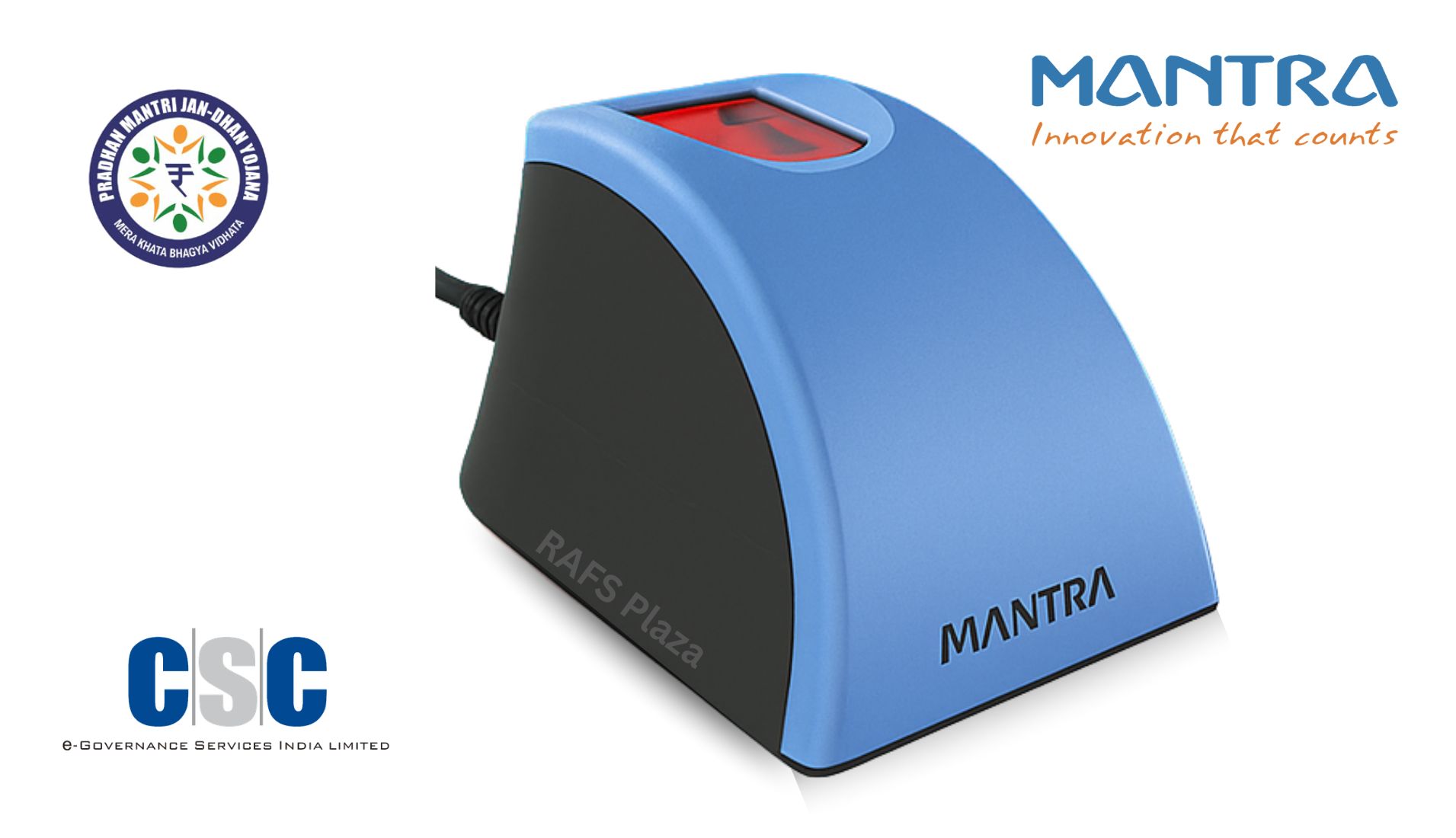
Mantra L1 RD Service Recharge Online
UIDAI 2025 IMPORTANT UPDATE
As per the UIDAI circular dated March 25, 2025, whitelisting of new L0 fingerprint registered devices was discontinued from October 1, 2024. From July 1, 2025, the Mantra MFS100 stop working entirely for Aadhaar verification and AEPS Services. All users must migrate to the Mantra MFS110 (L1) and maintain an active RD Service subscription.
Introduction: One Expired Subscription Can Shut Down Your Entire Operation
Imagine arriving at your Common Service Centre in the morning, connecting your Mantra MFS110 fingerprint scanner, and seeing nothing but an error on your screen. No Aadhaar authentication. No AEPS cash withdrawals. No Jeevan Pramaan certificates. No income for the day — all because a single annual subscription quietly lapsed overnight.
This is the reality faced by thousands of CSC operators, banking correspondents, and e-governance service providers across India every year. The culprit is almost always the same: an expired Mantra L1 RD Service.
The Registered Device Service — commonly called RD Service — is the mandatory UIDAI-compliance layer that transforms your Mantra MFS110 from a basic USB fingerprint scanner into a fully secure, Aadhaar-authenticated biometric device. Without it active, your device cannot communicate with UIDAI's servers. Full stop.
"The Mantra L1 RD Service is not optional software — it is the UIDAI-mandated security and encryption protocol that every registered biometric device must carry to operate within India's Aadhaar ecosystem."
This guide covers everything you need: what the Mantra L1 RD Service is, why it expires, a step-by-step recharge process, common errors and fixes, supported applications, and answers to frequently asked questions. By the end of this article, you will be able to recharge your service in under ten minutes — and set yourself up to never face an unexpected disruption again.
What Is the Mantra L1 RD Service?
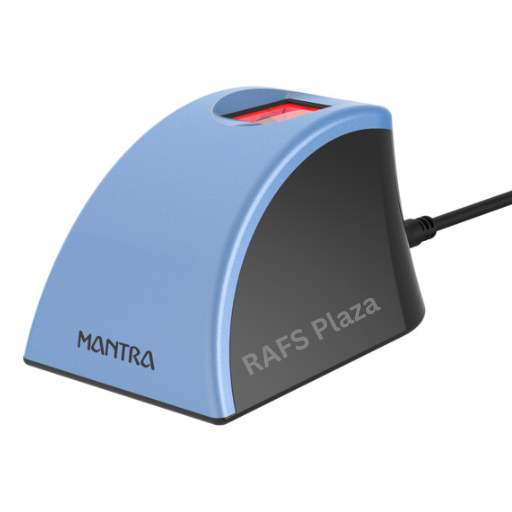
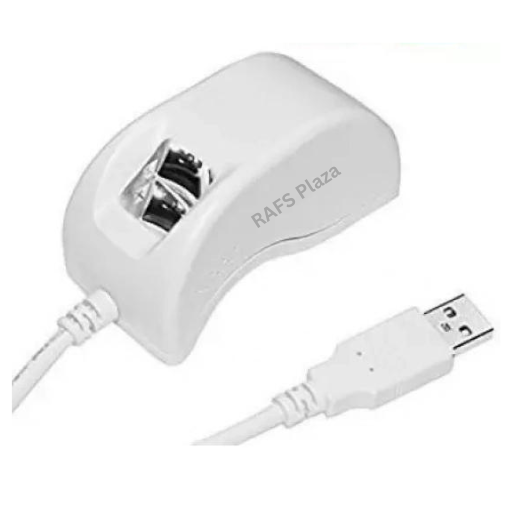
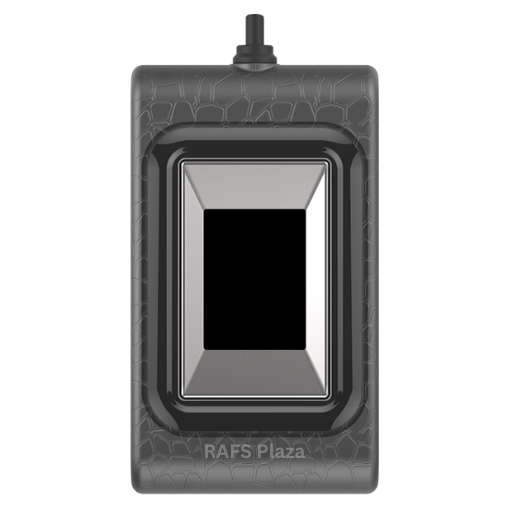
The Mantra MFS110 is an L1-certified biometric fingerprint scanner. The "L1" designation is a UIDAI security classification indicating that the device performs biometric data encryption at the hardware level — directly inside the device itself — before any data is transmitted over a network.
The RD Service is the software-and-subscription layer that enables this hardware-level security to function. It performs four critical roles:
• Device-level encryption: Every fingerprint scan is encrypted inside the MFS110 hardware before it reaches your computer or the internet.
• UIDAI whitelisting: Your specific device serial number is registered and validated on UIDAI's central management server.
• Aadhaar API compliance: The RD Service keeps your device compliant with the latest Aadhaar Authentication API (currently version 2.5).
• Secure key management: Cryptographic keys used in biometric authentication are managed and renewed through the RD Service layer.
Without an active RD Service, your MFS110 device cannot be recognised by UIDAI's servers. It cannot capture authenticated fingerprints. It cannot process AEPS transactions, generate Jeevan Pramaan certificates, or perform eKYC. The device becomes completely non-functional for any Aadhaar-related purpose.
RD Service is time-limited by design. New devices come with one year of free RD Service pre-activated at the time of purchase. After that, users are responsible for renewing it before it expires — choosing from annual or multi-year subscription plans.
L0 vs L1: Why the Older Fingerprint Devices No Longer Work in 2025
For years, an older generation of fingerprint scanners served as the standard for Aadhaar services. These were L0 devices — meaning biometric data encryption was handled at the software level rather than inside the hardware. While functional, this architecture was inherently less secure and more vulnerable to data interception.
UIDAI has been systematically phasing out L0 devices and mandating a complete migration to L1 technology. The difference between the two standards is fundamental:
L0 Devices (Discontinued)
• Encryption handled by software on the host computer
• Lower tamper resistance
• Vulnerable to software-level interception
• Officially discontinued by UIDAI — sunset extended to June 30, 2025
• May attract additional fees or full deactivation from July 1, 2025
L1 Devices — Mantra MFS110 (Current Standard)
• Encryption performed at the hardware level, inside the device
• Tamper-proof secure memory
• STQC and FBI PIV-certified
• Compliant with Aadhaar Authentication API 2.5
• UIDAI-approved for all Aadhaar-based services
If you are still using an older L0 scanner, upgrading to the MFS110 L1 is no longer a recommendation — it is a compliance requirement. And once you have the MFS110, keeping its RD Service active is what keeps you operational every single day.
Step-by-Step: How to Recharge Mantra L1 RD Service Online
The recharge process is consistent across all authorised platforms. Follow these steps carefully to ensure successful activation:
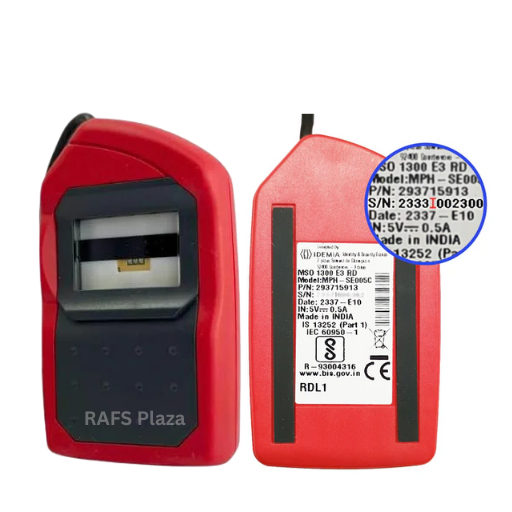
1. Locate your device serial number. The serial number is printed on the sticker at the back of your Mantra MFS110 device. This number is mandatory for recharge and must be entered precisely.
2. Visit recharge portal. Visit our Rd Recharge Platform https://rdserviceindia.in
3. Fill the recharge form. Select device as Mantra MFS110 L1 and enter your serial number carefully. Double-check before proceeding.
4. Choose your validity plan. Select a 1-year, 2-year, or 3-year plan based on your usage needs and budget. Multi-year plans reduce per-year cost.
5. Complete payment. All major payment methods are accepted — UPI, Debit Card, Credit Card, and NetBanking.
6. Wait for activation. On most platforms, activation is instant or within a few minutes. In some cases it may take up to a couple of hours.
7. Reconnect your device. Unplug your MFS110 from your computer or phone and plug it back in. This triggers the system to recognise the newly activated RD Service.
8. Verify activation. Open the Mantra RD test application and confirm that your device status shows as "Ready". This confirms your RD Service is active and functioning.
IMPORTANT
Critical Warning: Payments made for an incorrect serial number are strictly non-refundable and cannot be transferred to another device. Always verify your serial number twice before submitting payment. Use the Mantra test application or Android RD Service app to retrieve the correct number digitally if the sticker is faded or unreadable.
How to Find Your MFS110 Serial Number
The serial number is printed on the sticker at the back of your device. If the sticker is faded or missing, you can retrieve it digitally:
• On Windows: Run the Mantra MFS110 test application. Navigate to the Mantra installation folder on your C: drive and open the test executable. Your serial number will appear in the device information panel.
• On Android: Open the Mantra MFS110 RD Service application. Connect the device to your phone via USB OTG (ensure OTG is enabled in your phone settings). The serial number will be displayed automatically once the device is detected.
• Via online tool: Visit the official UIDAI RD test portal in your browser with the device connected to your computer. The device diagnostics panel will display your serial number.
Where Can You Use the Mantra MFS110 L1? Supported Applications
With an active RD Service subscription, your Mantra MFS110 fingerprint scanner works seamlessly across a wide range of government and financial platforms:
Banking and Financial Services
• AEPS (Aadhaar Enabled Payment System): Cash deposit, cash withdrawal, balance enquiry, mini statement, Aadhaar fund transfer.
• eKYC for bank account opening through aadhaar authentication.
• SIM card activation and telecom KYC
• Insurance KYC verification
Government and Social Welfare Schemes
• Jeevan Pramaan: Aadhaar-based Digital Life Certificate for pensioners
• Ayushman Bharat / PM-JAY: Health scheme beneficiary verification
• PM Kisan: Farmer identity verification and benefit disbursement
• PM Suraksha Bima and social protection scheme enrollments
Digital India Infrastructure
• Digital Seva Portal and Common Service Centres (CSC)
• AEBAS: Aadhaar-based Biometric Attendance System for government employees
• Direct UIDAI Aadhaar authentication for any official purpose
• Digital locker access and e-sign services
Corporate and Institutional Use
• Employee attendance and access control systems
• Educational institution student verification
• Healthcare patient identification and medical record access
• Law enforcement and border administration identity verification
Key Features of the Mantra MFS110 L1 Fingerprint Scanner
Understanding your device's capabilities helps you get the most out of your RD Service subscription and troubleshoot issues more effectively.
Biometric and Sensor Specifications
• Optical fingerprint sensor with scratch-free surface
• 500 dpi resolution, 256 grey levels
• Platen area: 16 x 18 mm
• Certified to the lowest False Rejection Rate (FRR) and False Acceptance Rate (FAR) in its class
• Compliant with ANSI-378, ISO 19794-2, and ISO 19794-4 standards
Certifications and Compliance
• STQC certified — India's highest biometric quality certification
• UIDAI L1 certified for Aadhaar Authentication API 2.5
• FBI PIV-071006 compliant
• CE, FCC, IEC 60950, and RoHS certified
• IP54 rated — protected against dust ingress and water splashing
Connectivity and Compatibility
• USB 2.0 High Speed and Full Speed interface
• Compatible with Windows 10, Windows 11, and Android (via USB OTG)
• C-type connector for use with modern Android smartphones
• Plug-and-play after driver installation
• Does not function on rooted Android devices
Common Errors After RD Service Expiry and How to Fix Them
An expired or inactive RD Service produces specific error codes. Knowing these codes saves hours of troubleshooting time and helps you identify whether the issue is the subscription, drivers, or hardware.
Error 1001 — RD Subscription Expired
Cause: The device's RD Service validity has ended. The device cannot communicate with UIDAI's authentication servers. Fix: Recharge your RD Service immediately from any authorised platform. After activation, unplug and reconnect your device. Verify activation using the Mantra test application before use.
Error -2118 / -2129 — Capture Revoked
Cause: The fingerprint scan is being rejected by the system. This usually indicates an expired RD Service or outdated device drivers or it will be sensor related hardware issue. Fix: First confirm whether your RD Service is active. If expired, recharge immediately. If active, download and reinstall the latest MFS110 L1 drivers from the official Mantra source. If the error persists after both steps, it may indicate a hardware-level fault — contact us at 9679868503 for solution.
Error 152 / 211 — Model ID Not Registered
Cause: The device serial number is not found on UIDAI's or Mantra's management server. This often occurs on first-time use or after a system change. Fix: UIDAI has officially resolved the root cause of this error. Download and install the latest Mantra MFS110 L1 drivers. Restart your system after installation. The error should resolve automatically on reconnection.
Certificate Verify Failed — Jeevan Pramaan
Cause: A self-signed certificate error prevents the Jeevan Pramaan software from running correctly on Windows with the MFS110 L1. Fix: Ensure your Windows operating system is fully updated to the latest version. Verify that Java JDK 23 is installed and updated on your system. Restart the system after applying all updates. The certificate error should be resolved after the restart.
Device Not Detected
Cause: The operating system does not recognise the MFS110 when plugged in. Fix: Reinstall the Mantra MFS110 L1 drivers. Try a different USB port. On Android, confirm that USB OTG is enabled in your phone's developer or accessibility settings. Ensure you are not using a rooted Android device, as the MFS110 does not support rooted devices.
Fix Mantra Rd Service Error and problems
Common Mantra RD Service errors can usually be fixed by:
- Checking RD Service validity.
- Uninstall old Rd Service driver and Reinstall the latest RD Service and device drivers.
- Ensuring the device is properly connected and detected.
- Verifying system date/time and internet connectivity
- Restarting the RD Service from Windows Services
Pro Tips to Avoid Future RD Service Disruptions
Preventing an expired RD Service is far easier than dealing with a sudden device failure in the middle of a busy work day. These practices will help you maintain uninterrupted service year-round:
• Set a calendar alert 30 days before expiry: Log your renewal date the moment you complete a recharge. A single lapsed day can mean hours of lost operations and income.
• Choose multi-year plans for daily operators: If you operate daily as a CSC operator or AEPS agent, a 2 or 3-year plan reduces the per-year cost and eliminates the risk of forgetting annual renewals.
• Always run the latest drivers: UIDAI regularly updates the Aadhaar Authentication API. Outdated drivers will cause authentication failures even with an active RD Service subscription. Check for updates every few months.
• Photograph and cloud-save your serial number: Store a clear photo of your device sticker in a cloud storage service or saved message folder. A faded sticker is the most common cause of incorrect serial number submissions.
• Test your device after every recharge: Confirm that your device shows status 'Ready' in the Mantra test application before relying on it for live transactions.
• Keep a backup plan: For high-volume operators, maintaining a second registered device as a backup eliminates downtime if your primary device requires servicing.
How to Choose the Right RD Service Plan
Selecting the right RD Service plan depends on your usage pattern, budget, and how much continuity of service matters to your livelihood. Here is a practical framework:
Step 1 — Assess Your Usage Frequency
If you use your Mantra MFS110 daily for AEPS transactions, CSC services, or Jeevan Pramaan, even a single day of downtime has direct financial consequences. Daily operators should prioritise multi-year plans and platforms with instant activation and responsive support.
If you use the device occasionally — for example, once or twice a month — an annual plan with straightforward self-service recharge may be sufficient.
Step 2 — Decide on Support Needs
First-time users or operators who are not technically confident with driver installation and troubleshooting should choose a recharge plan that includes post-activation support — such as remote installation assistance or WhatsApp-based error resolution. Experienced users comfortable with driver management can opt for the most cost-effective direct recharge option.
Step 3 — Evaluate Warranty Coverage
Some RD Service recharge plans are bundled with extended device warranty coverage. If your MFS110 is past its original warranty period, upgrading to a plan that includes warranty extension provides protection against hardware repair costs.
Step 4 — Calculate Total Cost Over Three Years
Do not evaluate plans based solely on the per-year listed price. Factor in the value of any included support, warranty coverage, and the cost of your own time for self-troubleshooting. A plan with slightly higher upfront cost but free error resolution support is often more economical for active operators.
Step 5 — Confirm Platform Reliability
Always use authorised or officially recognised platforms for recharge. Check that the platform provides a confirmation SMS or email upon activation, offers a refund or escalation path for failed activations, and has a responsive support channel.
Future of Biometric RD Services and Aadhaar Authentication
The evolution of India's biometric authentication infrastructure is accelerating. Understanding where the technology is headed helps operators and service providers plan their device investments wisely.
L1 as the Universal Baseline
UIDAI's complete sunset of L0 devices in 2025 marks the permanent establishment of L1 hardware encryption as the minimum standard for Aadhaar-based services in India. All new device procurement should now focus exclusively on L1-certified models.
Aadhaar Authentication API Upgrades
UIDAI periodically updates the Aadhaar Authentication API to incorporate stronger security protocols. Future API versions beyond 2.5 are anticipated and will require corresponding driver updates. RD Service subscriptions — which cover these driver compatibility requirements — will remain essential as API versions evolve.
Expansion of Aadhaar-Based Services
The Digital India programme continues to expand the number of government services accessible via Aadhaar authentication. New welfare schemes, social security programmes, and financial inclusion initiatives are regularly integrated into the Aadhaar ecosystem, increasing the business value of maintaining an active RD Service for every operator.
Mobile-First Biometric Authentication
The growing use of Mantra MFS110 with Android smartphones via USB OTG reflects a broader shift towards mobile-first service delivery. Future firmware and RD Service updates are expected to further optimise the Android experience, enabling field agents and rural service providers to conduct authenticated transactions entirely from their mobile devices.
Multi-Factor Biometric Systems
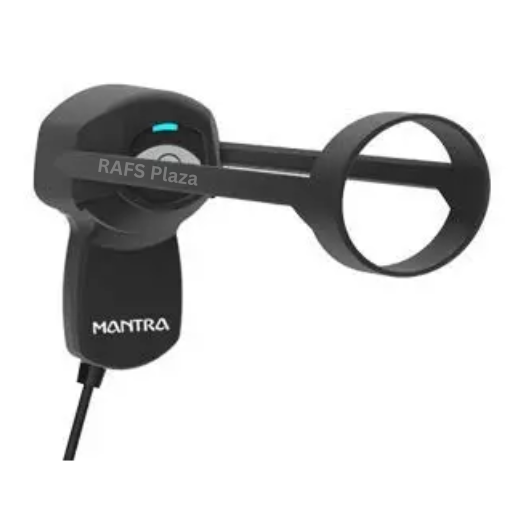
Iris authentication and face recognition are being introduced alongside fingerprint biometrics in several government programmes. The Mantra MIS100V2 iris scanner — also requiring RD Service renewal — and future multi-modal authentication devices will operate under the same registered device framework, making RD Service management a consistent operational requirement across device types.
Conclusion: Keep Your RD Service Active, Keep Your Business Running
The Mantra L1 RD Service is the invisible backbone of every Aadhaar-based service you deliver. It is what makes your MFS110 fingerprint scanner a trusted, secure, UIDAI-compliant device — capable of processing AEPS transactions, certifying pensioners, verifying identities, and powering Digital India's last-mile service delivery every single day.
With the complete discontinuation of L0 devices in 2025, the Mantra MFS110 with an active L1 RD Service is now the mandatory standard for every operator in India's Aadhaar ecosystem. There is no workaround and no grace period. Your device either carries a valid subscription or it does not work.
The good news is that recharging your Mantra L1 RD Service online is fast, straightforward, and takes under ten minutes from any device. Activation is instant on most authorised platforms. The only mistake you can make is waiting until after it expires.
Set your renewal reminder today, choose the plan that balances your cost and support needs, and never lose a day of business to an expired subscription again.
Ready to recharge your Mantra L1 RD Service? Visit any authorised recharge portal, enter your MFS110 serial number, select your plan, and complete payment. Your device will be active again in minutes — keeping your Aadhaar services running without interruption.
Frequently Asked Questions (FAQ)
Q: Is the Mantra L1 RD Service free?
A: No. RD Service is a paid subscription. New devices include one year of free service at the time of purchase. After that, it must be recharged every year — or every two to three years if you choose a multi-year plan.
Q: How long does activation take after payment?
A: On most authorised platforms, activation is instant or within a few minutes. In rare cases it may take up to a couple of hours. After activation, unplug your device and reconnect it to trigger the status update.
Q: Can I recharge from a smartphone?
A: Yes. All major recharge portals are mobile-friendly and accept UPI payments including Google Pay, PhonePe, and Paytm, making it easy to complete the entire recharge process from your phone.
Q: What if I entered the wrong serial number?
A: Payments for incorrect serial numbers are strictly non-refundable and cannot be transferred to another device. Always double-check your serial number before submitting payment. Use the Mantra test application on your PC or the RD Service app on Android to retrieve the correct number digitally if the sticker is unclear.
Q: Can I still use an L0 device after July 2025?
A: From July 1, 2025, L0 devices may attract additional UIDAI fees or stop working entirely for Aadhaar authentication. UIDAI has officially sunset the L0 standard. Upgrading to the Mantra MFS110 L1 is the only compliant path forward.
Q: How do I check my current RD Service validity?
A: Open the UIDAI RD test portal (rdtest.aadhaardevice.com) in your browser with the device connected on a Windows PC. Your device status and expiry date will be displayed. On Android, open the Mantra RD Service app with the device connected via OTG.
Q: Does the RD Service work on Android phones?
A: Yes. The Mantra MFS110 L1 supports Android phones via USB OTG using a C-type connector. Install the Mantra RD Service application and ensure OTG is enabled in your phone settings. Note that rooted Android devices are not supported.
Q: What payment methods are accepted for recharge?
A: All major digital payment methods are supported: UPI, Debit Card, Credit Card, and NetBanking. UPI payments are the fastest option for instant recharge confirmation.
Q: Can I use the same RD Service on multiple devices?
A: No. Each RD Service subscription is tied to a specific device serial number. Each device requires its own individual RD Service recharge.
Q: What happens if I miss the renewal deadline?
A: Your device will stop working for all Aadhaar-authenticated services immediately upon expiry. There is no grace period. You can renew at any time after expiry — the new subscription period begins from the date of recharge, not from the previous expiry date.
Q: Is Mantra MFS11 0 L1 is compatible for Windows 10/11?
A: Yes, Mantra MFS110 L1 is compatible with Windows 10 and Windows 11 (both 32-bit and 64-bit). Make sure your operating system is updated and that you install the correct driver version for your device.
For more information about rd services or products please feel free to call us @ 8001312220
You can also write a mail to us at sales@rafsedigital.com

.png)